Open your company’s accounting software today and there’s a good chance AI (Artificial Intelligence) is already running in the background — categorizing transactions, suggesting or posting recurring journal entries, and flagging anomalies. Your staff may already be using AI too: for drafting emails and memos, conducting research, reviewing documents, and many other use cases. So, what does all of this mean for small business owners and their employees? What are the potential opportunities? What are the risks?

This article will address these questions and more, while also providing actionable steps for small businesses implementing AI tools within their accounting departments and across their operations more broadly. It is not intended to make an argument for, or against adopting AI, but to provide insights on what AI capabilities are currently available, from an accounting perspective, and how to build an internal framework to properly manage and oversee the use of these tools.
Why Companies Are Increasingly Using AI Tools in Their Business
Companies are increasingly turning to the use of AI tools in their businesses for a variety of functions such as task automation, research, advanced analytics, accelerated innovation, and many other use cases. The main drivers behind the increased implementation of these tools include: increased workplace productivity and efficiency, cost reductions, improved and faster decision making, among others.
Most third-party accounting software applications (ex. QuickBooks) have integrated some level of AI into their products, and your company may already be using these tools as part of regular operations. Many companies are also using AI directly from providers such as Anthropic (Claude), OpenAI (ChatGPT), and Google (Gemini), among many other AI providers in the marketplace. These companies offer tiered pricing plans for access to their AI models which can be used for a range of functions, such as research, task automation, software coding, and more.
Ultimately, if a company can become more productive and efficient, and reduce costs by implementing AI tools, then the incentive becomes strong to adopt this new, emerging technology. In addition, companies see this as a technology that can provide competitive advantages relative to their market competitors, if implemented strategically.
Comparison of Models: Intelligence, Performance, & Price Analysis
How AI Is Being Used in Accounting Today
Currently, there are numerous use cases for AI tools in accounting. As previously mentioned, some of these use cases involve: task automation, advanced analytics, research, document review and analysis, embedded AI-assistants, among others. Many of these features are already directly integrated into your company’s accounting software. Providers such as QuickBooks, Sage, and Xero all have implemented AI tools into their products. AI is also available through tools like Microsoft’s Copilot, which is integrated into its Office suite — Outlook, Word, Excel, and PowerPoint. Next, we will discuss some of these use cases.
Task Automation: Provides the ability to automate certain accounting functions normally performed manually by an employee. Examples include journal entry posting and transaction classification. These features are now common in most accounting software applications and are particularly useful for recurring items. However, all entries recorded using AI should be reviewed by an experienced employee who understands the underlying transactions.
Advanced Analytics: Allows the user to generate highly customizable financial reports (ex. cash flow forecasts) with more speed and granularity than traditional methods. In the past, it may take staff hours or days to compile the reports that management needs in order to make strategic business decisions. With AI, these reports can be produced and customized quickly, enabling faster decision-making cycles.
Research: One of the first business use cases to emerge from AI, and probably the most common. Instead of spending time performing Google searches and poring through large volumes of documents looking for specific information about a subject, AI can perform all of this work in a matter of minutes. It can also surface deep analysis and insights that previously required significant human time spent searching through data.
Document Review: Has become a very useful feature in the business world. An employee can use AI to review and summarize a contract or service agreement (or any other document) in a matter of minutes. It extracts the key terms and conditions, and can also provide analysis and feedback (ex. flagging where a contract is silent on a key term). AI can also compare one document to another and note the differences and similarities between them.
Workflow Assistants: With the use of embedded AI-assistants, they can be used to search your inbox for a specific email, or your desktop folders looking for a specific file. In Microsoft Word and Excel, AI-assistants can help with editing and grammar in Word, and with building and manipulating spreadsheets in Excel.
Understanding the Limitations
Despite the potential of AI, it’s important to understand its current limitations. Although AI has the ability to increase productivity and efficiency, there are still limits to what it can do.
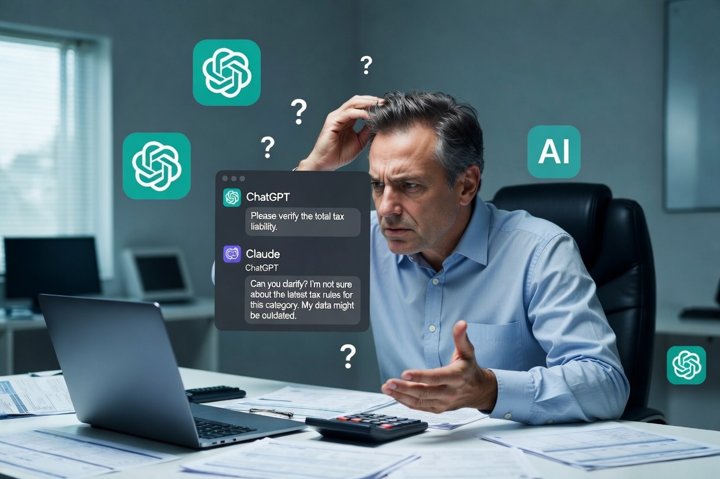
For example, AI tends to struggle when faced with non-recurring, one-off transactions. It works best on data with clear patterns and trends that it can apply to current transactions. AI tends to underperform anytime genuine judgment is required. For instance, allocating a vendor payment across multiple construction projects or separating the direct from indirect costs on each job requires judgment and isn’t a pattern-matching exercise. Mistakes recording these types of transactions can distort job profitability and create incorrect over- and under-billing balances.
In certain situations, AI errors can be harder to detect than human errors. This is because AI is usually recording journal entries from patterns, so a transaction classification can look correct on the surface but prove incorrect on further review. Identifying these errors requires reviewers who know how these transactions should be recorded and what the books should look like.
The same tools driving these productivity and efficiency gains also introduce a set of risks that deserve equal attention.
Security Considerations
The conversation about AI tends to focus on what the technology can do. The conversation about whether it should be deployed, and under what conditions, gets considerably less attention — and this is where the gap between adoption and governance is most visible inside small businesses.
The most direct concern is data exposure. When financial data is processed by AI tools, it does not simply stay in your accounting platform. Some AI features run within your existing software vendor’s infrastructure. Other tools route data to third-party AI providers — and whether that data is used for model training, how long it is retained, and what contractual protections apply are all questions worth asking before adoption. This concern is widely shared by the people closest to the work: Karbon’s 2025 research1 found that 70% of accounting professionals express serious concern about data security in the context of AI deployment.
The risks compound when employees use AI tools the business has not approved. Reco’s 2025 State of Shadow AI Report2 found that small and midsized businesses face the highest per-capita shadow AI adoption — 27% of employees at companies with 11 to 50 workers reported using AI tools their employer had not sanctioned. A separate BlackFog survey3 of 2,000 employees at U.S. and U.K. enterprises with 500 or more workers found that 49% use AI tools their employer has not sanctioned, with senior executives more willing than junior staff to accept the security tradeoff. IBM Security4 has reported that one in five organizations has already suffered a data breach attributable to unapproved AI tool use, costing on average $670,000 more than other breaches. Perhaps most strikingly, 97% of organizations that experienced an AI-related security incident had no access controls for AI in place at the time.
Across the organizations we work with, what we consistently see is that AI deployment has outpaced the infrastructure to defend it.
The failure mode is rarely a sophisticated attack — it is the absence of basic governance. As Grant Thornton’s Tom Puthiyamadam observed in the firm’s 2026 AI Impact Survey,5 “Across the organizations we work with, what we consistently see is that AI deployment has outpaced the infrastructure to defend it.”
A common example: when an employee pastes a trial balance, accounts receivable aging, or payroll register into a consumer-facing AI chatbot to help draft an analysis, the data has functionally left the business’s controlled environment. Most businesses have no policy addressing this, and most employees have no idea they are creating exposure.
For most small businesses, the practical safeguards do not require enterprise-scale security programs. They require a handful of deliberate choices:
-
Establish a basic policy on what AI tools employees may use, and with what categories of data.
-
Use enterprise tiers where sensitive data is involved, since those generally offer stronger contractual protections than consumer tiers.
-
Read data handling commitments in actual vendor contracts rather than marketing pages.
-
Maintain meaningful human review of AI output rather than perfunctory sign-off.
These safeguards are ultimately internal-controls decisions — our guide to internal controls best practices covers the foundations, and our internal controls consulting service helps businesses put them in place.
A particular caution applies to agentic AI — systems that autonomously execute multi-step workflows, processing invoices from receipt to payment approval or drafting and sending communications. These tools have access profiles equivalent to privileged insider employees. The efficiency case is real; the security case requires substantially more care than most current deployments reflect, particularly when the AI has authority to move money or send external communications.
Why Human Judgment Still Matters
AI tools can be genuinely useful and create significant productivity and efficiency gains; however one principle remains constant. Informed judgment from trained employees is essential in using these tools effectively.

Any work performed by AI should be reviewed by a human to confirm the accuracy and reliability of the work. AI systems are pattern-matching machines trained in historical data. The outputs often sound correct and confidence-inspiring, yet can be wrong in ways that aren’t obvious on the surface. The risk is the output looks reasonable and gets used without proper scrutiny from a human reviewer. AI-generated outputs should be held to the same standard as those produced by a person. Be aware of automation bias, the well-documented tendency to over-trust automated systems.
The main takeaway is that management is not relieved of its responsibilities for the company’s financial statements. Outsourcing this work to AI tools does not change who is accountable if something goes wrong.
Where to Start
If you’re at the stage of wanting to take next steps with implementing AI tools into your business, then the six action items below are a guide to help you get started.
Data Confidentiality Assessment: This should be the first step a company takes before utilizing any AI tools within their business. The assessment determines which information will be used with these tools and what’s at stake if that data is mishandled. Doing this early helps clarify which tools are acceptable, what the AI policy needs to cover, and what training your employees will require.
Document a Clear AI Use Policy: It does not need to be a long document; a page or two should be sufficient. This will be the company’s internal policy outlining which tools are approved for use, what types of data may be entered into them, when human review is required, and who is accountable for AI-assisted work product. In 2025, IBM published a paper4 that showed 97% of organizations experiencing AI-related security incidents had no access controls in place.
Understand the Difference Between Consumer and Enterprise Tiers: This matters because free consumer versions of AI tools frequently use submitted data for model training, while paid business or enterprise tiers often do not. Familiarize yourself with each provider’s terms and tier options to determine which ones are most appropriate for your business.
Designate an Owner and a Review Process: Someone at your company should own AI governance. This doesn’t have to be a new position — just a clearly assigned responsibility, with a named person responsible who fields questions, coordinates training, reviews how tools are being used, and ensures the company’s AI policy is followed.
Train the People, Not Just the Tools: With any emerging technology, proper training and education are necessary to support the safe and secure use of AI tools. Often mistakes trace back to gaps in training — staff not knowing a tool’s limits, or trusting an output that warranted a closer look. Your business’s training practices should be aligned with the data confidentiality assessment (step 1) and AI use policy (step 2). Training prevents more harm than any technical control.
Start With a Small, Focused Pilot and Then Expand: Instead of rolling out AI across your whole organization, start with one or two lower-stakes use cases (ex. research, drafting memos, etc.). This lets you learn over time which tools are genuinely useful, and which aren’t. By taking a gradual, measured approach, you’ll build confidence in both the tools and the processes that govern them.
AI tools and their capabilities are advancing rapidly. This technology will continue to become more embedded in both business and everyday life. If you’re new to this technology or don’t yet understand its capabilities, the most important first step is to educate yourself. Learn who the main AI providers are, what the different service tiers offer, what each model can do, and where the risks lie.
References
- Karbon. (2025). State of AI in accounting 2025 report. Karbon Magazine. karbonhq.com. ↩
- Reco. (August 2025). The State of Shadow AI Report. Reco AI. reco.ai. ↩
- BlackFog / Sapio Research. (January 2026). Shadow AI Threat Grows Inside Enterprises. Survey of 2,000 employees at U.S. and U.K. enterprises with 500 or more workers (1,000 U.S. / 1,000 U.K.). blackfog.com. ↩
- IBM Security. (2025). Cost of a data breach report 2025. IBM Corporation. ↩↩
- Grant Thornton. (2026). 2026 AI Impact Survey. Grant Thornton Advisors LLC (via Journal of Accountancy, April 2026). ↩
Note: References to specific software products — QuickBooks, Sage, Xero, Microsoft (Copilot and Office), Anthropic (Claude), OpenAI (ChatGPT), and Google (Gemini) — reflect publicly available product information from each respective vendor.